 We discussed the possibility of transferring the knowledge learned by a ConvNet to another. If you new to the idea of transfer learning, please go check up the previous post here.
Alright… Let’s see a practical scenario where we need to use transfer learning. We all know that deep neural networks are data hungry. We may need a huge amount of data to build unbiased predictive models. Though the perfect scenario is that, in most of the cases, there’s not that much of data to train neural models. So, the ‘To Go” survivor for you may be transfer learning.
Here in this small demonstration what I’ve done is building a multi-class classifier that have 8 classes and only 100 odd images in the training set for each class.
The dataset I’m using here is a derivation of the “Natural Images” dataset (https://www.kaggle.com/prasunroy/natural-images/version/1#_=_ ) . I’ve randomly reduced the number of images in the original dataset for building the “Mini Natural Images”. This dataset consists of three phases for train, test and validation. (The dataset is available in the GitHub repository) Go ahead and feel free to pull it or fork it!
Here’s an overview of the “Mini Natural Images” dataset.
 So, this is going to be an image classification task. We going to take the advantage of ImageNet; and the state-of-the-art architectures pre-trained on ImageNet dataset. Instead of random initialization, we initialize the network with a pretrained network and the convNet is finetuned with the training set.
I’ve used PyTorch deep learning framework for the experiment as it’s super easy to adopt for deep learning. For this type of computer vision applications you can use the models available in torch vision.models (https://pytorch.org/docs/stable/torchvision/models.html )
The models available in the model zoo is pre-trained with ImageNet dataset to classify 1000 classes. With that, there’s 1000 nodes in the final layer. For adopting the model for our need, keep in mind to remove the final layer and replace it with the desired number of nodes for your task. (In this experiment, the final fc layer of the resNet18 has been replaced by 8 node fc layer)
Here’s the way to replace the final layer of resNet architecture and in VGG architecture.
#Using a model pre-trained on ImageNet and replacing it's final linear layer

#For resnet18
model_ft = models.resnet18(pretrained=True)
num_ftrs = model_ft.fc.in_features
model_ft.fc = nn.Linear(num_ftrs, 8)

#for VGG16_BN
model_ft = models.vgg16_bn(pretrained=True)
model_ft.classifier[6].out_features = 8
Rest of the training goes in the same of training and finetuning a CNN. Make sure to use a desired batch size to your GPU available in your rig. (You can use a DLVM for this task if you wish 😊)


The training and validation accuracies are plotted and the confusion matrix is generated using torchnet (https://github.com/pytorch/tnt ) which is pretty good for visualization and logging in PyTorch.

Confusion matrix of the classification
The classifier performs a 97% accuracy for the testing image set, which is not bad.
Now it’s your time to go ahead and get your hands dirty with this experiment. Leave a comment if you find come up with any issue. Happy coding!
Here’s the GitHub Repo for your reference!
 The rise of deep learning methods in the areas like computer vision and natural language processing lead to the need of having massive datasets to train the deep neural networks. In most of the cases, finding large enough datasets is not possible and training a deep neural network from the scratch for a particular task may time consuming. For addressing this problem, transfer learning can be used as a learning framework; where the knowledge acquired from a learned related task is transferred for the learning improvement of a new task.

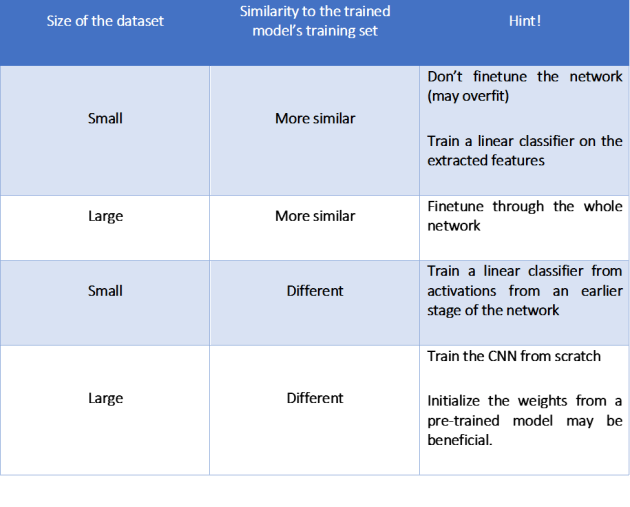 Let’s discuss how to perform transfer learning with an example in the next post. 😊


 The boom started with the convolutional neural networks and the modified architectures of ConvNets. By now it is said that some convNet architectures are so close to 100% accuracy of image classification challenges, sometimes beating the human eye!
 As shown in the graph, TensorFlow is the most popular and widely used deep learning framework right now. When it comes to Keras, it’s not working independently. It works as an upper layer for prevailing deep learning frameworks; namely with TensorFlow, Theano & CNTK (MXNet backend for Keras is on the way). To be more précised, Keras act as a wrapper for these frameworks. Working with Keras is easy as working with Lego blocks. What you have to know is where to fix the right component. So it is the ultimate deep learning tool for human beings!
 Let’s start with a simple experiment that involves classifying Dog & Cat images from Kaggle. First make sure to download the training & testing image files from Kaggle (
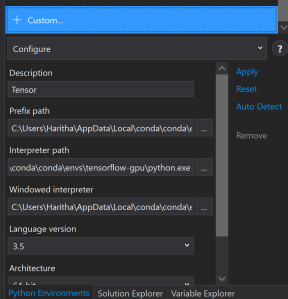
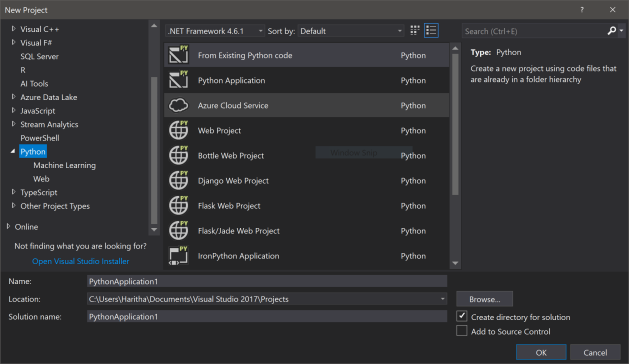 No need to purchase Visual Studio enterprise or ultimate. The freely available Visual Studio Community edition works fine. In 2017 version python comes along side with the default installation options. For the later versions you need to install Python Tools for Visual Studio (PTVS) separately.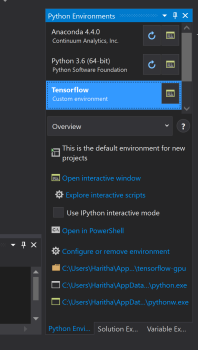
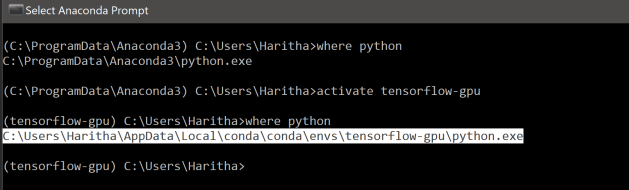
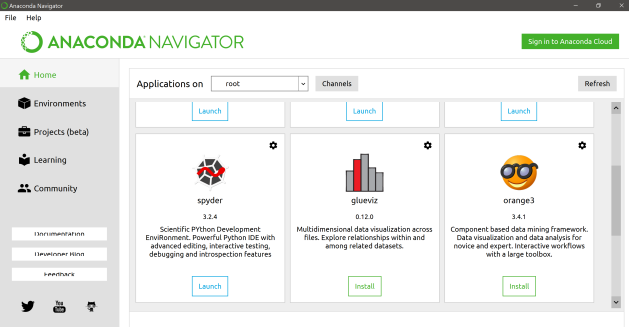
 We have already passed the era of gigabytes when it comes to data. World is talking about terabytes of unstructured data and massive amounts of data points generated from IoT devices and sensors in millions per a second. To analyze these heaps of data, obviously, we need large computation power and massive storage. Building workhorse machines to fulfil those tremendous workloads would definitely cost a lot. Cloud computing paradigm comes handy here. The resourcefulness and the scalability of the public cloud can be used to perform the large calculations in machine learning algorithms.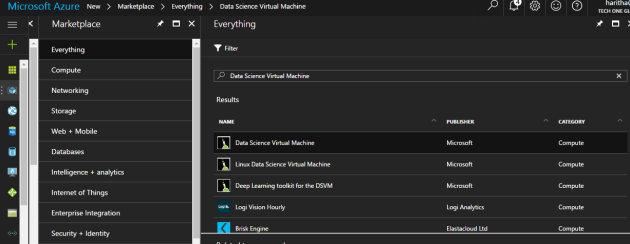
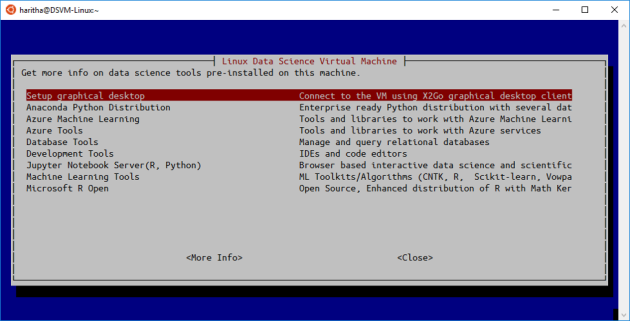 My personal favorite here is the Linux DSVM instance. Here I’ve created a Linux DSVM with the basic configurations. For accessing the VM you can use any tool that can do a SSH call. What I normally do is calling the accessing the VM using Ubuntu Bash on Windows 10.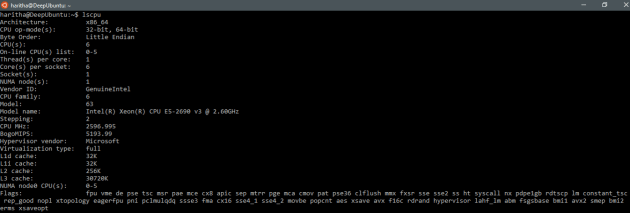
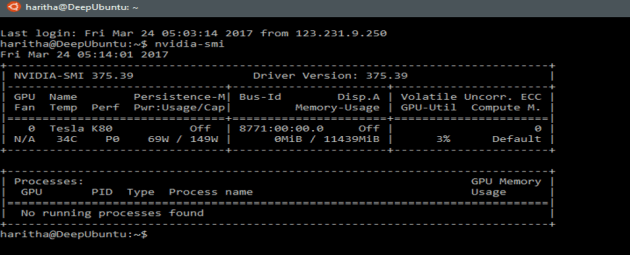
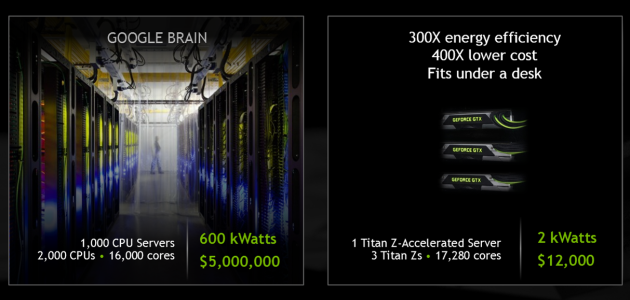

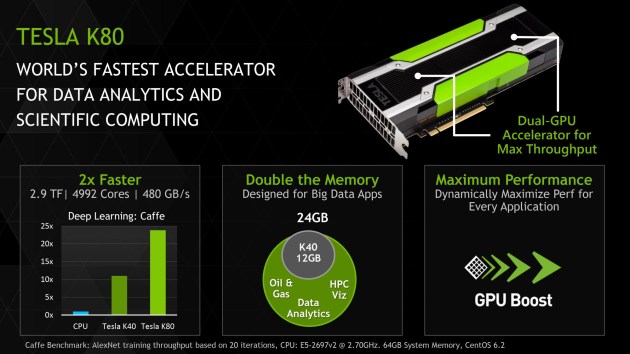 Here’s my Azure VM specifically configured for deep learning exercises. The machine is powered with Tesla K80 GPU which is having 4992 cores in it!! I installed anaconda for that and doing computations using Jupyter notebooks.
 NaadiSpeaks