 Almost all the tech giants are massively investing on chatbots and make them available for the use of general public in an efficient and easy way. Many development tools, SDKs and services are now available in the market to build your own chatbots. Microsoft QnA Maker is one of the most handy tools to get started for building a basic Question & Answer Bot.
 Microsoft QnA Maker was in public preview for quite a while and it came for general availability with the Build 2018 announcements. If you have bots that already built using the QnA Maker preview portal, just go and migrate the knowledge bases that you’ve created to the new portal that has attached to QnA Maker management Portal. Here’s the guide to do that.
Building a bot using is pretty straight forward. What you need to have is a set of question and answer pairs that you need to add as the knowledge base of your chatbot. Tw knowlesge base can be created manually using the online editor or you can just upload a question & answer pairs in CSV/TSV formats, a word document or even a product manual. If you want to add set of FAQs in a website, what you have to do is provide the URL of that for to extract the information.

Testing the knowledge base realtime
The created knowledge can be tested using the portal Realtime. The corrections for the classifications also can be done through the portal. One of the major advantages of QnA Maker service is that the bot knowledge base can be directly deployed on client’s Azure Tennent without spoiling any privacy or compliance issues.
Publishing the knowledge base would create a REST endpoint that you can access through Microsoft Bot Framework and then directly publish into a desired channel. The sample code for building a simple QnA maker powered bot is available here on GitHub.
 One of the promising feature comes with the latest updates is the “Small Talk” request response dataset from Microsoft. This can make your bot seems more intelligent and human like. (Even Mmmm… s 😀 ) You can select your desired personality from Professional, Friendly or Humorous and download the dataset as a TSV. Then add that to your existing knowledge base. This will give your bot a more human like touch. (Make sure to select the datasets that is specifically built for QnA maker)
The pricing for the QnA maker service is just charging for the hosting service not for the number of transactions. (Note that you’d be charge for the bot service separately 😉 ) You can refer more about pricing here. https://azure.microsoft.com/en-us/pricing/details/cognitive-services/qna-maker/
QnA maker is not the fully intelligent knowledge base building platform. But it can help you to come out with a fully functioning bot in minutes.
 The word ‘chatbots’ has become one of the most whispered words in the tech world today. Each and every tech company is putting a lot of effort on researching and developing bot related technologies.
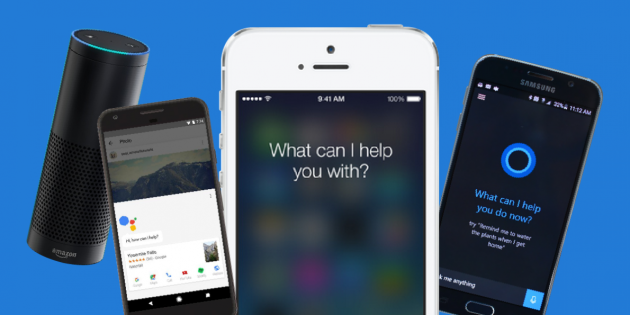
 Chatbots has become a ‘trend’ today. Everyone wants to attach a chatbot for their businesses. Either to the public facing phase or as the interfering interface of an internal business process. If you observe the social media handles of the major brands, they are using chatbots to communicate with their customers.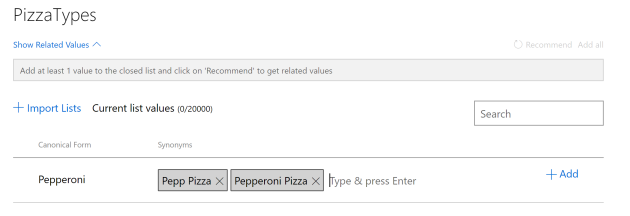
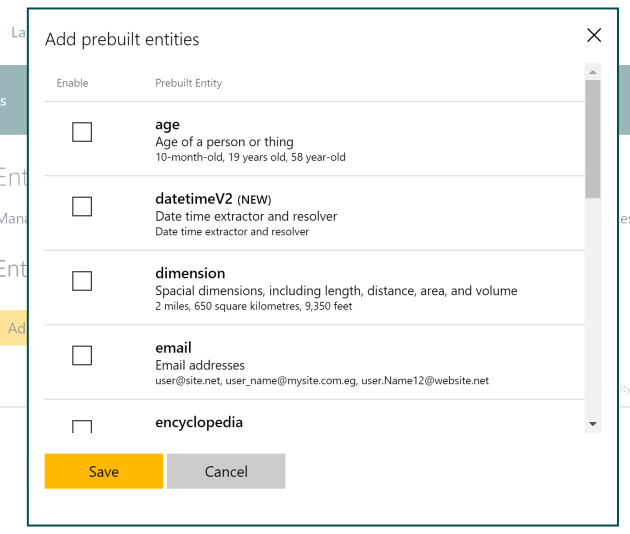
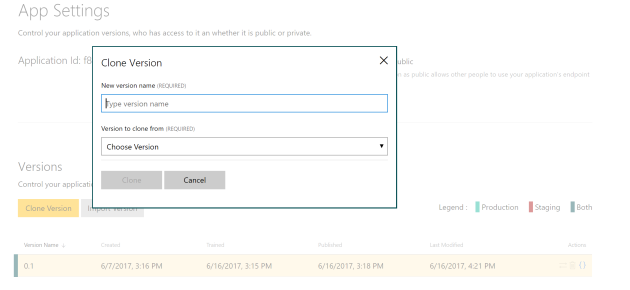 These are just small tips you can use when building your own LUIS model. Do comment any best practice that you find useful in building an accurate model for your Bot.
 Extracting the teeny tiny features in images, feeding the features into deep neural networks with number of hidden neuron layers and granting the silicon chips “eyes” to see has become a hot topic today. Computer vision has gone so far from the era of pattern recognition and feature engineering. With the advancement of machine learning algorithms combined with deep learning; understanding the content in the images and using them in real world applications has become a MUST more than a trend.
 Fill the name, description and select the domain you going to build the model. Here I’ve selected Landmarks because the images I’m going to use contains landmarks and structural buildings.
 All together 53 images with different tags were uploaded for training.


 NaadiSpeaks