
We have discussed a lot about Azure Machine Learning Studio; the one-stop portal for all ML related workloads on Azure cloud. AzureML Studio provides different approaches to work on the machine learning experiments based on needs, resources and constraints you have. Selecting the plan to attack is completely your choice.
We all have our own way of performing machine learning experiments. While some prefer working on Jupyter notebooks, some are more into less code environments. Being able to onboard data scientists with their familiar development environment without a big learning overhead is one of the main advantages of AzureML.
In this article, let’s have a discussion on different methods available in AzureML studio and their usage in practical scenarios. We may discuss pros and cons of each approach as well.
Please keep in mind that, these are my personal thoughts based on the experiences I had with ML experiments and this may change in different scenarios.
Automated ML
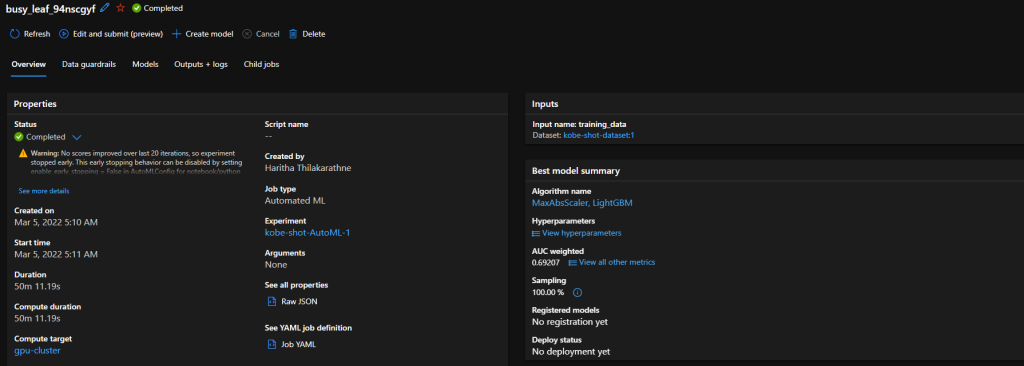
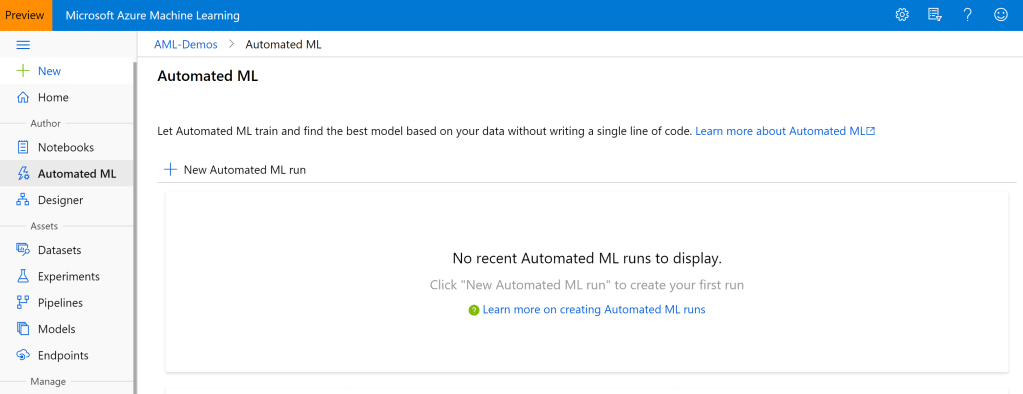
As the name implies, this is all automated. Automated ML is the easiest way of producing a predictive model just in few minutes. You don’t need to have any coding experience to use Automated ML. Just need to have an idea on machine learning basics and an understanding on the problem you going to solve with ML.
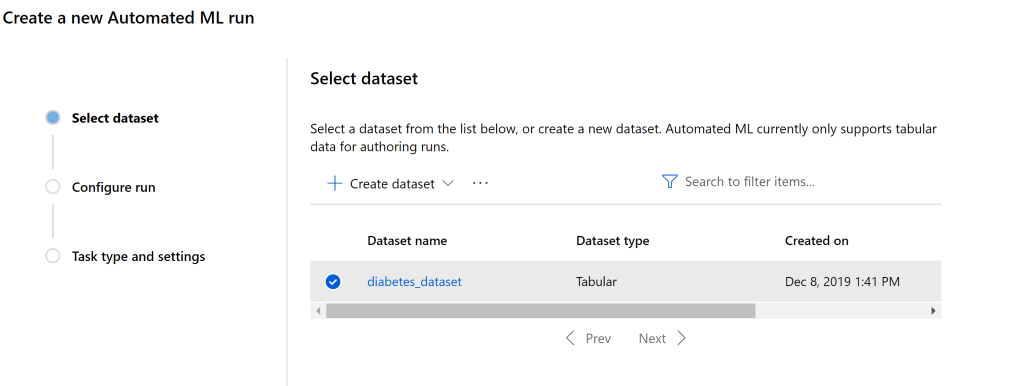
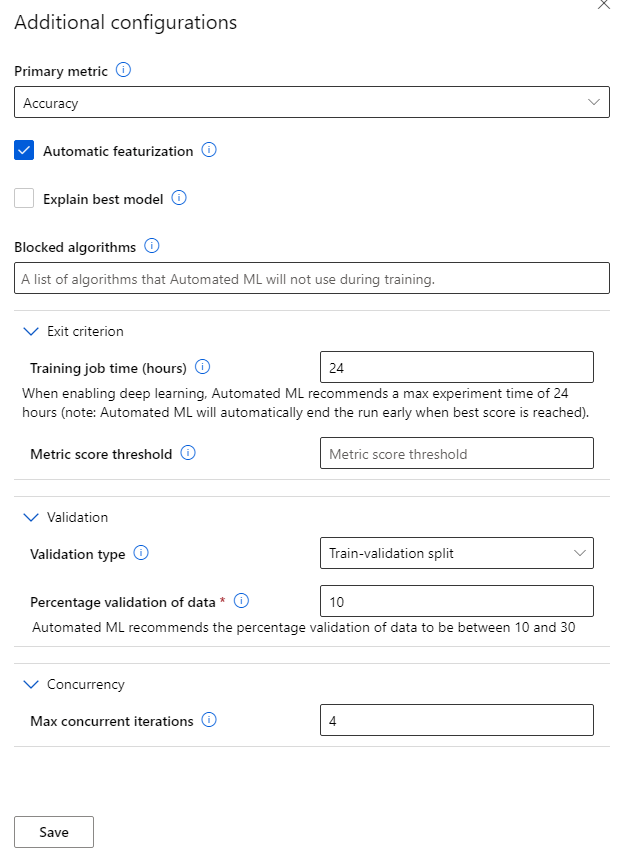
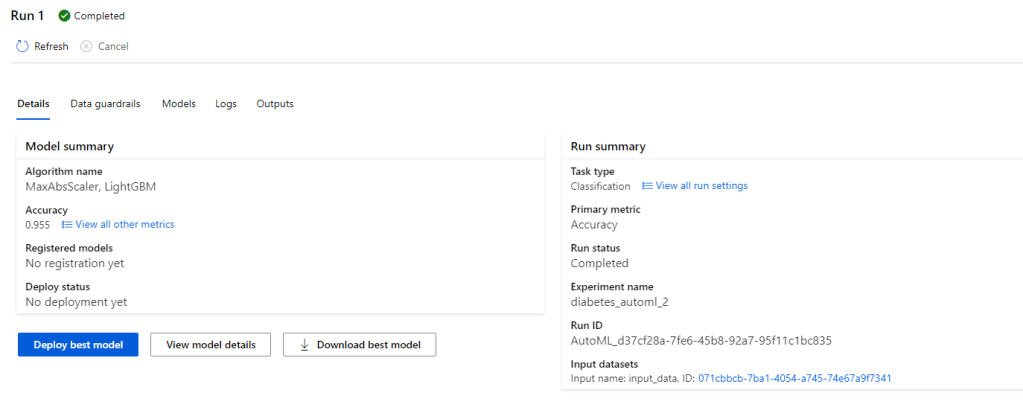
The process is pretty straight forward. You can start with selecting the dataset you want to use for ML model training and specify the ML task you want to perform. (Right now, it supports classification, regression, time series forecasting. Computer vision and NLP tasks are in preview). Then you can specify the algorithms you want to test it with and other optional parameters. Azure does all the hard work for you and provides a deployment ready model which can be exposed as a REST API.
Pros:
- Zero code process.
- Easy to use and well suited for fast prototyping.
- Eliminate the environment setup step in ML model development
- Limited knowledge on machine learning is needed to get a production viable result.
Cons:
- Limited machine learning capabilities.
- Right now, only works with supervised learning problem scenarios.
- Works well with relational data, computer vision and NLP are still in preview.
- There’s no way of using custom machine learning algorithms in the process.
Azure ML Designer

Azure ML Designer is an upgraded version of the pretty old Azure ML Studio drag and drop version. Azure ML Designer is having a similar drag and drop interface for building machine leaning experiment pipelines. You have a set of prebuilt components which you can connect together in a flowchart like manner to build machine learning experiments. You have the ability to use SQL queries or python/ R scripts if you want in the process too. After training a viable ML model, you can deploy it as a web service with just few clicks.
I personally prefer this for prototyping. Plus, I see a lot f potential on Azure ML designer in educational purposes. It’s really easy to visualize the ML process through the designer pipelines and it increases the interpretability of the operation.
Pros:
- Zero code/ Less code environment
- Easy to use graphical interface
- No need to worry on development/ training environment configurations
- Having the ability to expand the capabilities with python/ R scripts
- Easy model deployment
Cons:
- Less flexibility for complex ML model development.
- Less support for deep learning workloads.
- Code versioning should handle separately.
Azure ML notebooks

This maybe the most favourite feature on Azure ML for data scientists. I know Jupyter notebooks are like bread and butter for data scientists. Azure ML offers a fully managed notebook experience for them without giving them the hassle of setting up the dev environment on local computers. You just have to connect the notebook with a compute instance and it allows you to do your model development and training on cloud in the same way you did on a local compute or elsewhere on notebooks.
I would recommend this as the to-go option for most of the machine learning experiments since it’s really easy to spin up a notebook instance and get the job done. Most of the ML related libraries are pre-installed on the compute instance and you even have the flexibility to install 3rd party packaged you need through conda or pip.
Pros:
- Familiar notebook experience on cloud.
- Option to use different python kernels.
- No need to worry about dev environment setup on local compute.
- Can use the powerful compute resources on Azure for model training.
- Flexibility to install required libraries through package managers.
Cons:
- Comes with a price for computation.
- No direct support for spark workloads.
- Code version control should manage separately.
Developing on local and connect to AzureML service through AML Python SDK.
This is the option I would suggest for more advanced users. Think of a scenario where you have a deep learning based computer vision experiment to run on Azure with a complex code base. If this is the case, I would definitely use AzureML python SDK and connect my prevailing code base with the AzureML service.
In this approach, your code base sits on your local computer and you are using Azure for model training, deployment and monitoring purposes. You have the total flexibility of using the power of cloud for computations as well as the flexibility of using local machine for development.
Pros:
- Total flexibility in performing machine learning experiments with our comfortable dev tools.
- AzureML python SDK is an open-source library.
- Code version controlling can be handled easily.
- Whole ML process can be managed using scripts. (Easy for automation)
Cons:
- Setting up the local development environment may take some effort.
- Some features are still in experimental stage.
Choosing the most convenient approach for your ML experiment is totally based on the need and resources you have. Before getting into the big picture, start small. Start with a prototype, then a workable MVP, gradually you can move forward with expanding it with complex machine learning approaches.
What’s your most preferred way of model development from these options? Please mention in the comments.
Cheers!









 NaadiSpeaks