Azure Machine Learning Studio allows you to build and deploy predictive machine learning experiments easily with few drags and drops (technically 😉).
The performance of the machine learning models can be evaluated based on number of matrices that are commonly used in machine learning and statistics available through the studio. Evaluation of the supervised machine learning problems such as regression, binary classification and multi-class classification can be done in two ways.
- Train-test split evaluation
- Cross validation
Train-test evaluation –
In AzureML Studio you can perform train-test evaluation with a simple experiment setup. The ‘Score Model’ module make the predictions for a portion of the original dataset. Normally the dataset is divided into two parts and the majority is used for training while the rest used for testing the trained model.
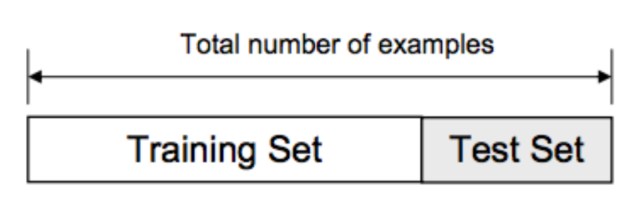
Train-test split
You can use ‘Split Data’ module to split the data. Choose whether you want a randomized split or not. In most of the cases, randomized split works better. If the dataset is having a periodic distribution for an example a time series data, NEVER use randomized split. Use the regular split.
Stratified split allows you to split the dataset according to the values in the key column. This would make the testing set more unbiased.
- Pros-
- Easy to implement and interpret
- Less time consuming in execution
- Cons-
- If the dataset is small, keeping a portion for testing would be decrease the accuracy of the predictive model.
- If the split is not random, the output of the evaluation matrices are inaccurate.
- Can cause over-fitted predictive models.
Cross Validation –
Overcome the mentioned pitfalls in train-test split evaluation, cross validation comes handy in evaluating machine learning methods. In cross validation, despite of using a portion of the dataset for generating evaluation matrices, the whole dataset is used to calculate the accuracy of the model.
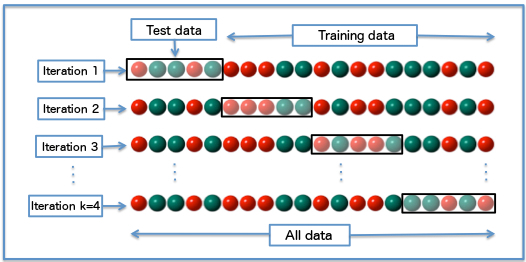
k-fold cross validation
We split our data into k subsets, and train on k-1 of those subsets. What we do is holding the last subset for test. We’re able to do it for each of the subsets. This is called k-folds cross validation.
- Pros –
- More realistic evaluation matrices can be generated.
- Reduce the risk of over-fitting models.
- Cons –
- May take more time in evaluation because more calculations to be done.
Cross-validation with a parameter sweep –
I would say using ‘Tune model Hyperparameters’ module is the easiest way to identify the best predictive model and then use ‘Cross validate Model’ to check its reliability.
Here in my sample experiment I’ve used the breast cancer dataset available in AzureML Studio that normally use for binary classification.
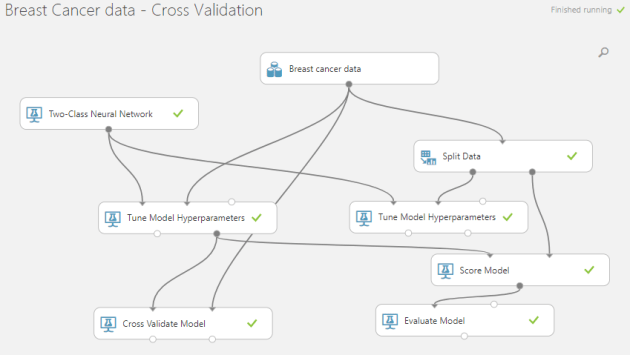 The dataset consists 683 rows. I used train-test split evaluation as well as cross validation to generate the evaluation matrices. Note that whole dataset has been used to train the model in cross validation case, while train-test split only use 70% of the dataset for training the predictive model.
Two-class neural networks has used as the binary classification algorithm. The parameters are swapped to get the optimal predictive model.
When observing the outputs, the cross-validation evaluation provides that model trained with whole dataset give a mean accuracy of 0.9736 while the train-test evaluation provides an accuracy of 0.985! So, is that mean training with less data has increased the accuracy? Hell no! The evaluation done with cross-validation provides more realistic matrices for the trained model by testing the model with maximum number of data points.
Take-away – Always try to use cross-validation for evaluating predictive models rather than going for a simple train-test split.
You can access the experiment in the Cortana Intelligence Gallery through this link –
https://gallery.cortanaintelligence.com/Experiment/Breast-Cancer-data-Cross-Validation
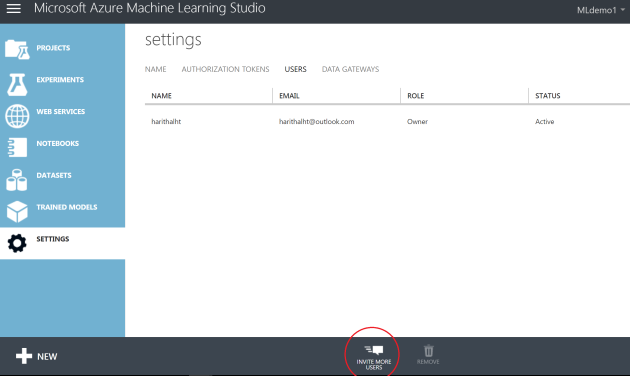 The users you inviting should have a Microsoft account or a work/school account from Azure Active Directory. Two user access levels can be defined as “Users” and “Owners”.
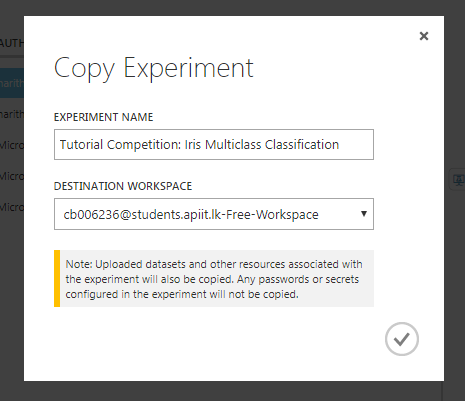 You’ll not be able to copy multiple experiments using a single click. If you have such kind of scenario, use poweshell scripts as instructed in this
 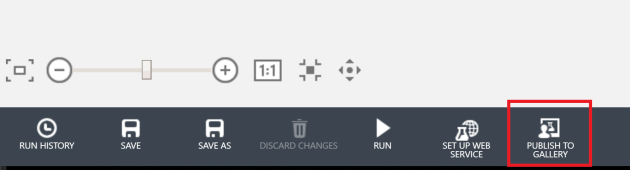 For me this is one of the most useful options. You can use this option in two ways. One is to make the experiments public and in a way that only accessible through a shared link. If you share the experiment publicly that will be listed in the Cortana Intelligence Gallery.
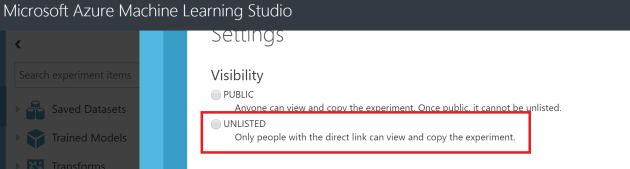 If you want to share an experiment only with your peer group, publishing as an ‘unlisted’ experiment is the best way. Users can open the experiment in their own AzureML studio. This option can be used to migrate your experiment within different workspaces as well as between different azure regions. Only the users who’s having the link you shared can only view or use the experiment you shared.
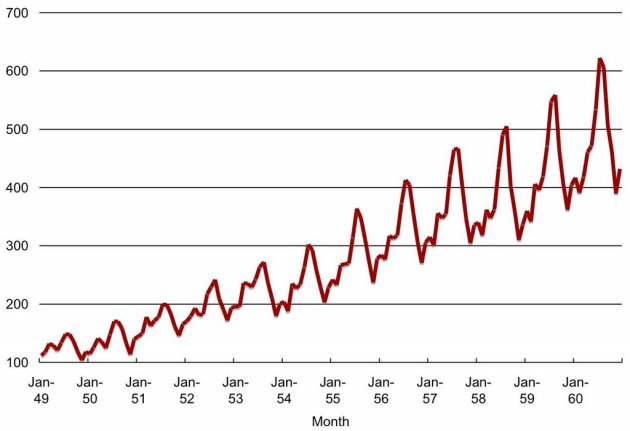 When we have a series of data points indexed in time order we can define that as a “Time Series”. Most commonly, a time series is a sequence taken at successive equally spaced points in time. Monthly rainfall data, temperature data of a certain place are some examples for time series.
 Data science is one of the most trending buzz words in the industry today. Obviously you’ve to have hell a lot of experience with data analytics, understanding on different data science related problems and their solutions to become a good data scientist.
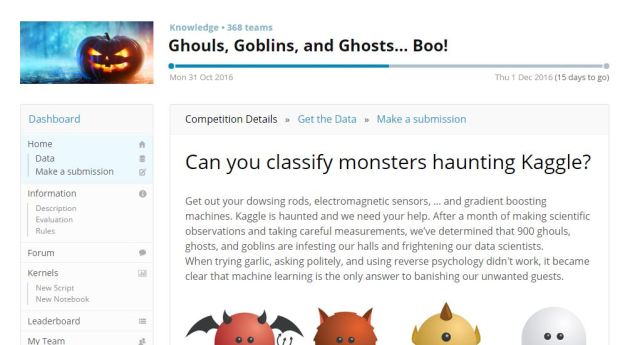
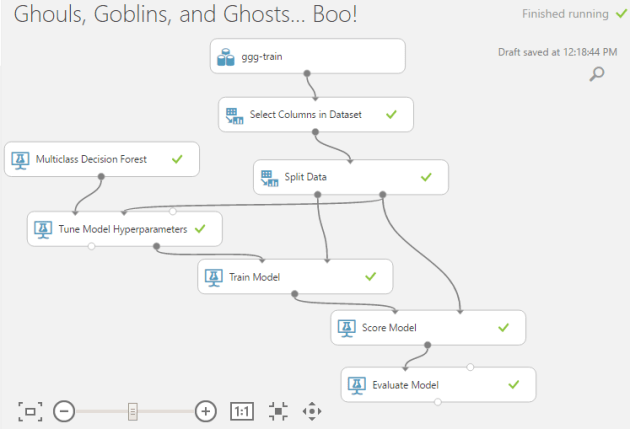
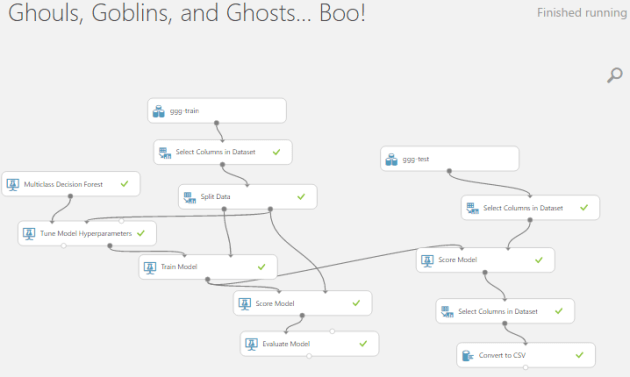
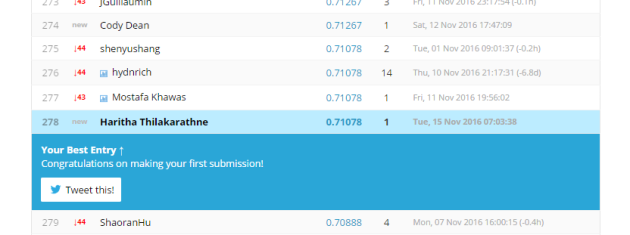
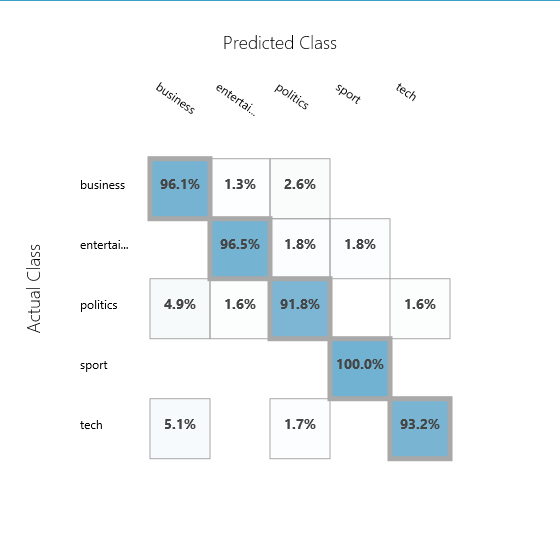
 Classification is one of the most popular machine learning applications used. To classify spam mails, classify pictures, classify news articles into categories are some well known examples where machine learning classification algorithms are used.


 With the power of cloud, we going to play with data now! 🙂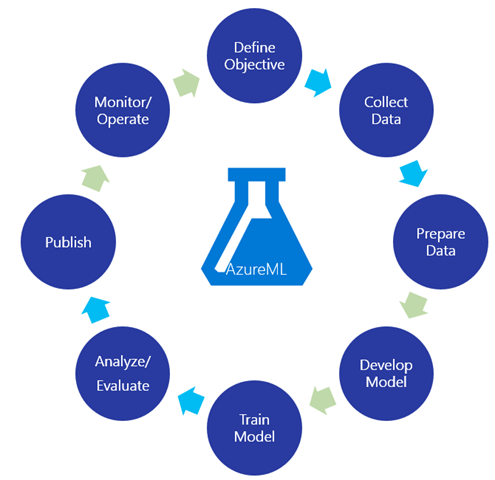
 You can use AzureML absolutely for free. But if you want to deploy a web service and play with serious tasks have to go for an appropriate subscription. If you have a MSDN subscription, you can use it here 🙂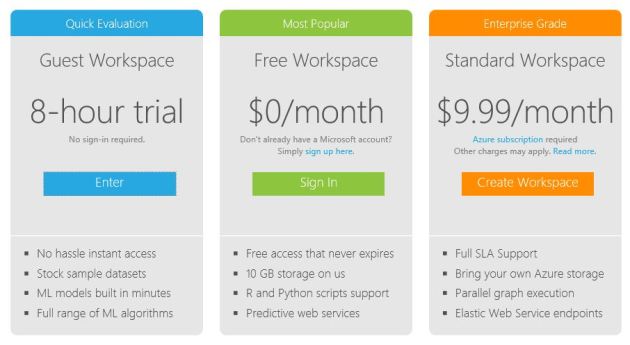
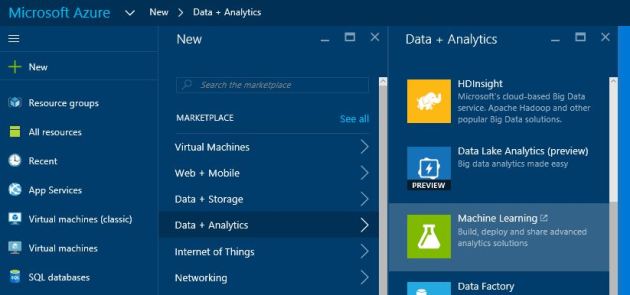 In the portal go for new -> data + analytics -> Machine Learning
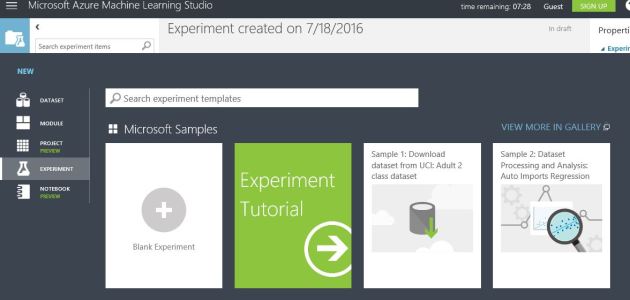 Now you are there! Click on the new -> Blank experiment!

 NaadiSpeaks